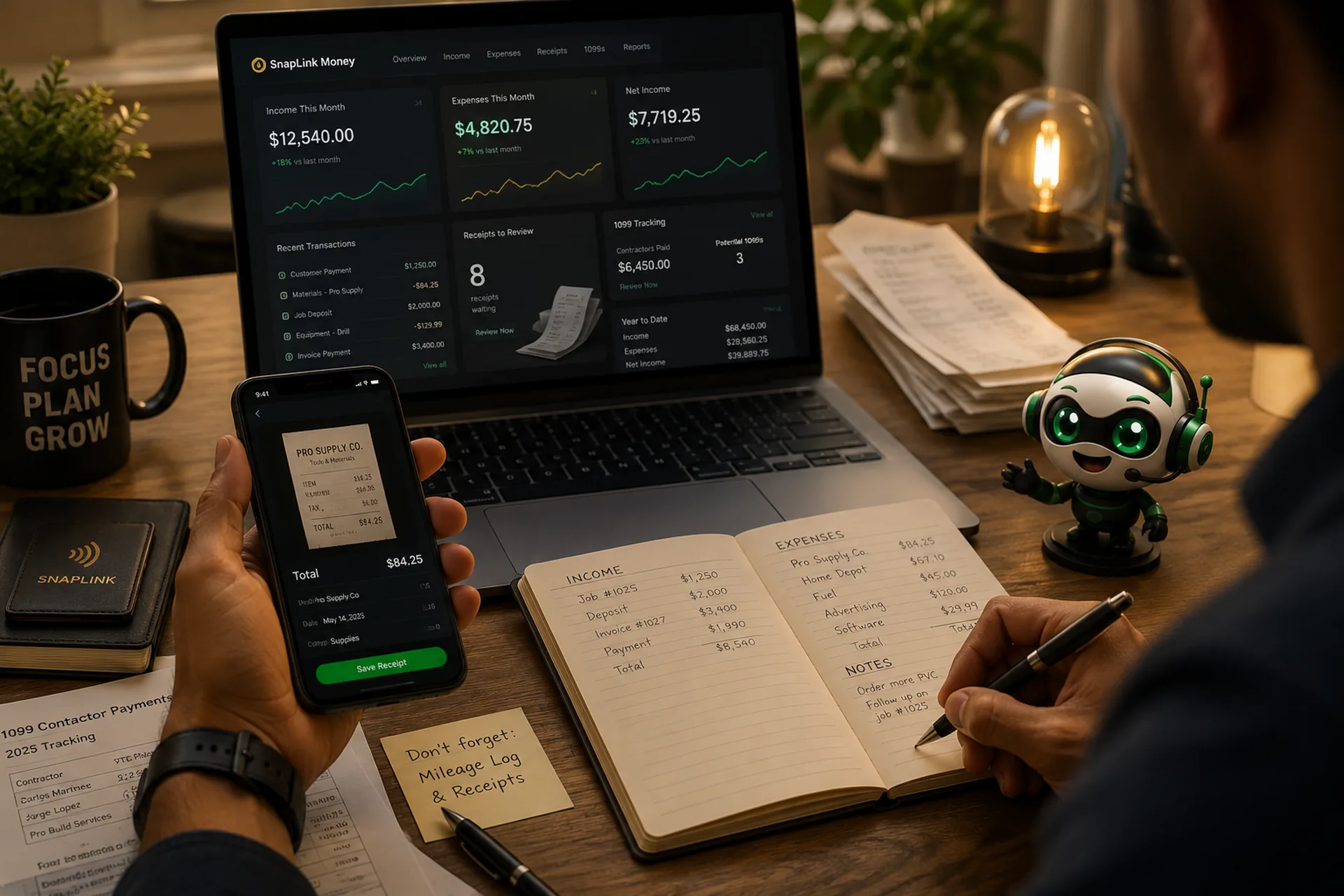
Lucio Financial Copilot
Track what comes in, what goes out, and what to set aside — from your phone, in the time it takes to sit in the truck before you drive off.
Not one of these is about being bad with money. They are all about being busy, and about a system that assumes you have an office.
Thermal paper fades. A receipt from June is often blank by December. Every faded receipt is a deduction you paid for in real money and can no longer prove.
You set aside “some” money. In April you find out whether “some” was enough. There is no way to find out sooner, so you don't.
You need a W-9 from a man you paid in cash in June and haven't seen since. He is not answering. You needed this in June and nothing told you.
A client's 1099 says they paid you more than you remember. You have no record to check it against, so you either accept it or argue from memory.
A place to put every dollar that moves through your business, and a way to see what that means while you can still do something about it.
It is not accounting software you need a course to operate. It is not a tax filer. It is the thing that means when you sit down with your accountant, you hand them a folder instead of a shoebox — and the hours they bill you go to your return instead of to sorting your receipts.
The Copilot is one half of SnapLink. This is the other half — and it's the half your customers actually touch.
Every SnapLink business gets a profile: one page, one tap. Put it on a card, a sticker on the truck, a sign at the counter. A customer taps their phone to it and everything they need is right there — nothing to download, nothing to install, nothing for them to type.
Customers request work straight from the page, in English or Spanish. Requests land in one place instead of scattered across texts, voicemails, and a note on the dash.
Zelle, Cash App, Venmo, Square — whatever you actually use, all in one place. Nobody has to ask how to pay you, and you stop retyping the same handle twenty times a month.
One tap to your Google review page, at the moment the job is done and they are pleased with you. That is the only moment a review ever gets written.
Your contact card saves to their phone in one tap. Next time they need you, you are in their contacts under your business name instead of buried in a text from March.
Website, socials, price list, menu, WiFi password, directions. One link that never changes, even when everything behind it does.
Everyone who ever tapped is someone you can send a campaign to. A slow week stops being something that just happens to you.
Every tap, scan, and lead is counted. You find out which sticker earns its keep and which one was forty dollars you will not spend again.
The booking request that comes in through your profile is the job. The payment you record against it is your income. The receipt you photograph on the way home is the cost. By the time you reach the year-end pack, all three are already connected — because from the first tap it was all one place.
Five things. Each one exists because of a specific way small businesses lose money.
01
Money in and money out, recorded when it happens instead of remembered later.
The difference between deductions you claim and deductions you can prove is a record made on the day it happened.
02
Photograph a glovebox of receipts at once and let them read themselves.
The receipts you never enter are the ones that cost you the most, because they are the ones you actually spent.
03
The number you need in April, visible in February.
Money you have already spent cannot be set aside. The only useful time to see this number is early.
04
The January scramble, moved to a month when people still answer their phones.
A W-9 is easy to get from someone who wants to work for you again, and nearly impossible to get in January.
05
One button. Everything your accountant asks for.
Your accountant's time is expensive. Handing them a finished folder is the cheapest hour you will ever buy.
We are telling you this in the sales pitch. That should tell you something about how the rest of it is built.
Software that tells a business owner what they owe in taxes is either wrong or licensed. This one organizes your records so that someone qualified can answer that question quickly. That is the honest version of this product, and it is the one you are buying.
Not a translation layer bolted onto an English app. Both languages are equal all the way through — the buttons, the warnings, the reasons a receipt was flagged, and the PDF you print for your accountant.
Zelle, Cash App, Venmo, Square, cash, check. Deposits and balances. The way service work is really paid for, not the way an invoicing product wishes it were.
Materials bought for a job but never marked as billed to the client are added up and shown to you. That is money you already spent on someone else's project and never charged for.
Every business's records are separated at the database level, and the separation is re-verified on every single request — not just when you log in. Your subcontractors, your spending, and your totals are not visible to anyone else on the platform.
If you get a 1099 and you have receipts in your vehicle, it was built for you.
Good — keep them. This is not a replacement, it is what you hand them. Most of what you pay an accountant for at year end is the hours spent turning your pile into a list. This gives them the list.
Then you already know how it goes in March, when a formula is off by one row and you cannot remember what a $212 charge in August was for. This doesn't need to be opened to keep working — you photograph a receipt and move on.
Two taps for an expense. Receipts scan in a batch instead of one at a time. The whole point is that it fits into the ninety seconds you actually have, not into an evening you were never going to give it.
Then use it in Spanish. Every screen, every warning, and the year-end summary you print. You should not have to read a second language to understand your own money.
Neither do we. The receipt reader fills the form in for you and then stops. You look at it and confirm it. Nothing is ever entered into your books without a person agreeing to it, and what the machine originally claimed is kept alongside your correction so you can always see the difference.
Full tax ID numbers are never stored. The system holds the type and the last four digits — enough to tell two people apart, not enough to be worth stealing. The real number stays on the W-9 document itself.
No. Plenty of businesses start with just the profile, because that is the part customers see and it pays for itself the first time someone books from it. The money side turns on when the receipts start piling up. It is the same login either way — the second half is not a new setup, it just appears.
Then you correct it before confirming, which is the step that exists for exactly this. Receipts it was unsure about are flagged with the reason. Receipts it was confident about still have to be confirmed by you.
A short conversation about how your business gets paid, and whether this fits. No obligation and no pressure.